STEP 4. Checking battery status
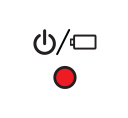
When you disconnect the pocket photo from the charging cable, you can check the battery charge status via the LED indicators  .
.
If the power turned on, you can check the charging status by pressing  (Power) button.
The LED indicators will change depending on the batery charging status.
| LED color | Condition |
|---|---|

|
Remaining battery is more than 30% / On |
|
Remaining battery is less than 30% / On |

|
No battery / Blinks quickly and turn off. |
If the battery is low in use, LED indicators is blinks quickly and turn off.
- This device uses a built-in battery. Before using it, fully charge the battery using a USB cable (Type C) or adapter. (Refer to below)
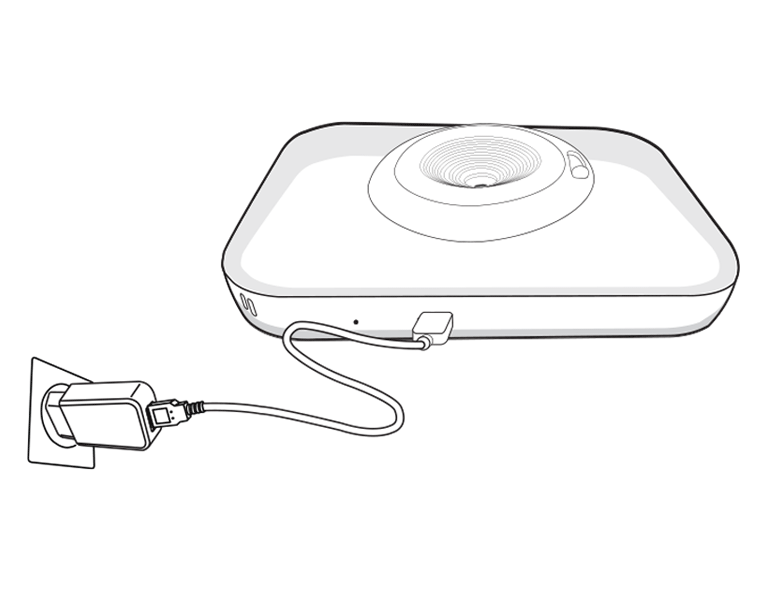
Battery charging time : 2.5 hours
 Charging time may vary depending on the type of adapter and charging environment.
 Power-off
 Charging
 Full charge
- LG Pocket Photo is always charged when connected to the power supply except for being printed.
- To charge this product, you must always use a DC 5 V, 1.2A or more. Certified/Listed Adapter which complies with LPS.
Checking the charging status with LED indicators on front of Pocket photo.