Notes on the printing
 The printed image may differ from the orginal image due to the printing method (thermal transfer printing).
 Use the lastest App of LG Pocket Photo (when printing a photo, it makes optimized image.)
 The higher resolution the image has, the higher quality the printed photo has.(The proper resolution is more than 1280 x 2448 pixel.)
 Once the battery is fully charged, you can print up to 30 papers in a row.
 The maximum prints are based on ISO 24712 Colour image standard and the number of photos printed may vary depending on user enviromental conditions (time, temperture,humidity or printing method).
 If there are more than a LG Pocket Photo device, check MAC address on the label to choose one you want to use. (Refer to “Checking Label”.)
 The Bluetooth searching and transferring may fail depending on its environment.Check the Bluetooth condition on your phone and try again.
 If pairing multiple smartphone, re-pairing may occur.
Using the edit mode

You can edit a photo quality, color or size using edition tool on the menu.
Use the edit function with a variety of image correction filter
Checking where to buy paper
- To check where to buy paper, go to setting or menu screen.
- After touching [
 ] select a country.
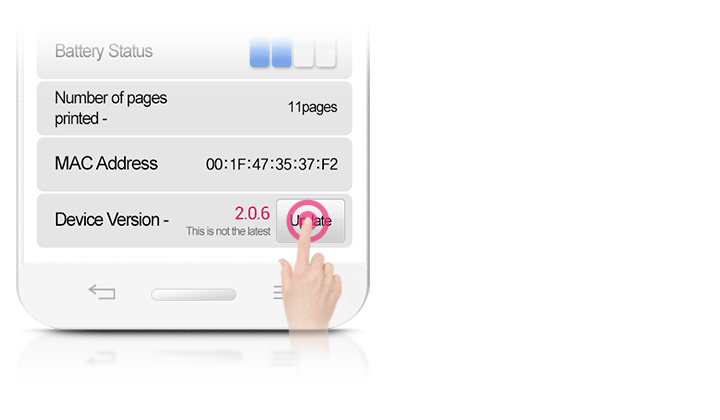
Updating the device
You can update the device by pairing smart phone to the latest software to enhance the products operation and /or add new features.
- Connect the device and smart phone via Bluetooth.
- Run the Pocket Photo App and then, touch [Setting] menu.
- The current version and higher version are shown if new version is existed.
- Touch [Update]button to update the device.