STEP 4. Installing App
Installing App for Windows phone

From Store
Search for “LG Pocket Photo”.

Using QR code
Scan the QR code.
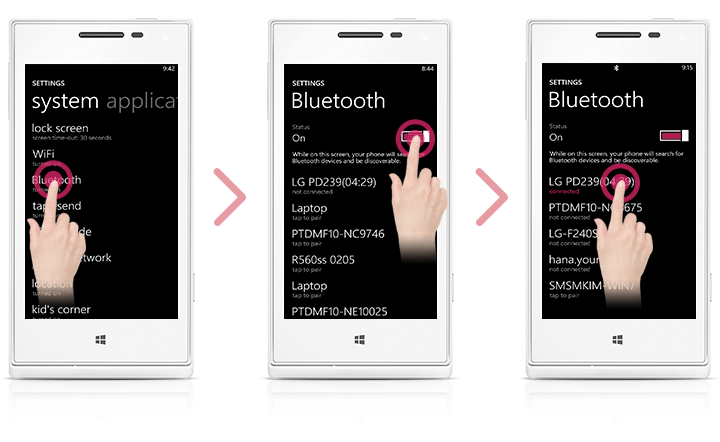
Setting Bluetooth of Windows phone
 On your Windows phone home screen, touch [Settings].
 Select “Bluetooth” on the system and touch the slider to turn Bluetooth [On].
 To connect your Pocket Photo device to Windows phone, turn on your device and make sure it is discoverable mode.
 When you find the device, touch the model name of Pocket Photo on the list.
 After Checking [Connected], Run the App.